How to assign or change shifts for a team?
To assign or change shifts to a team, follow these steps:
Step 1: Navigate to the "Settings'' in the left navigation bar. Look for and select the "Teams" tab.
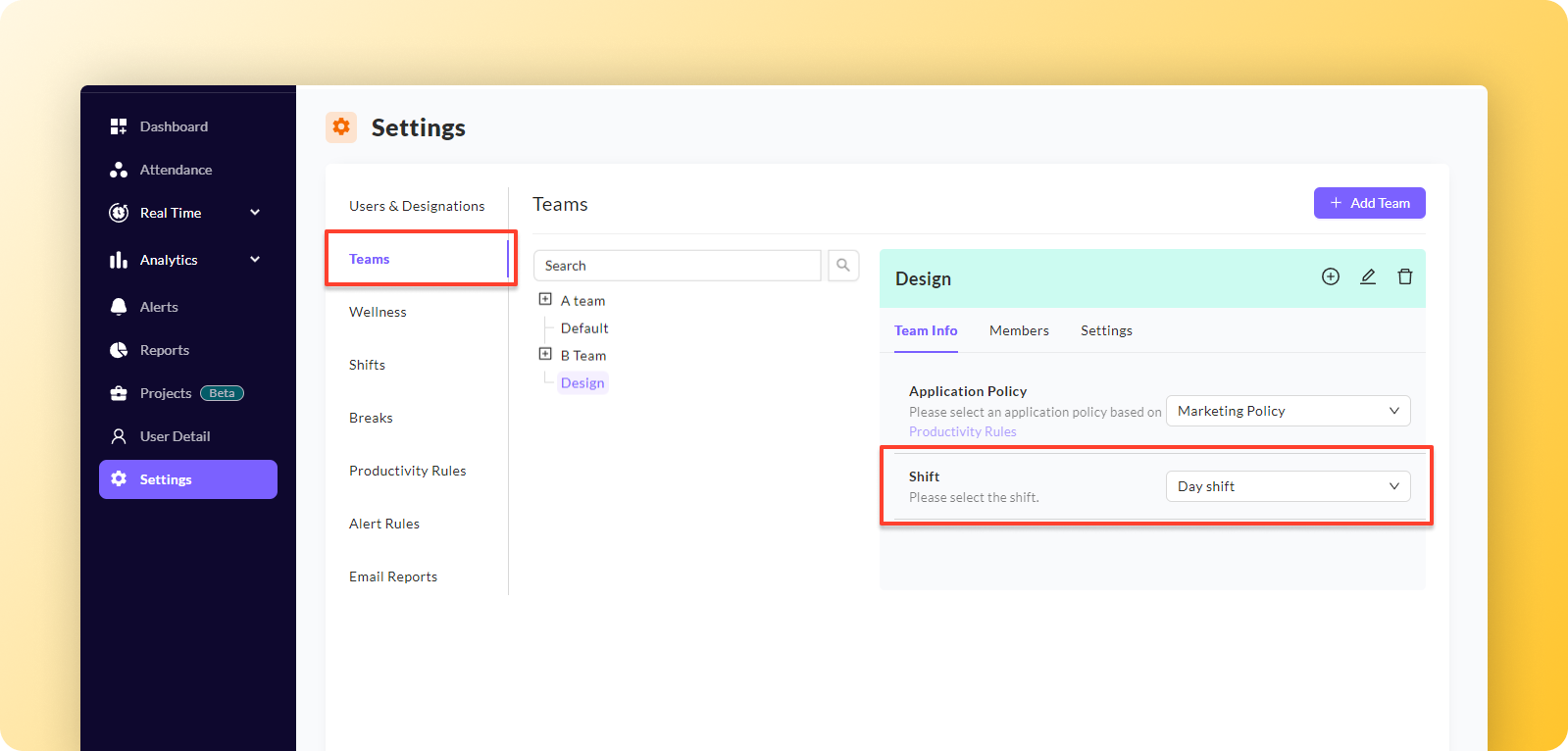
Step 2: Next, choose the team from the list where you want to assign or change shifts.
Step 3: On the left side of the screen, you will see 3 tabs under the title of the currently selected team. Under the pre-selected "Team Info" tab and you'll find a drop-down in front of the Shift.
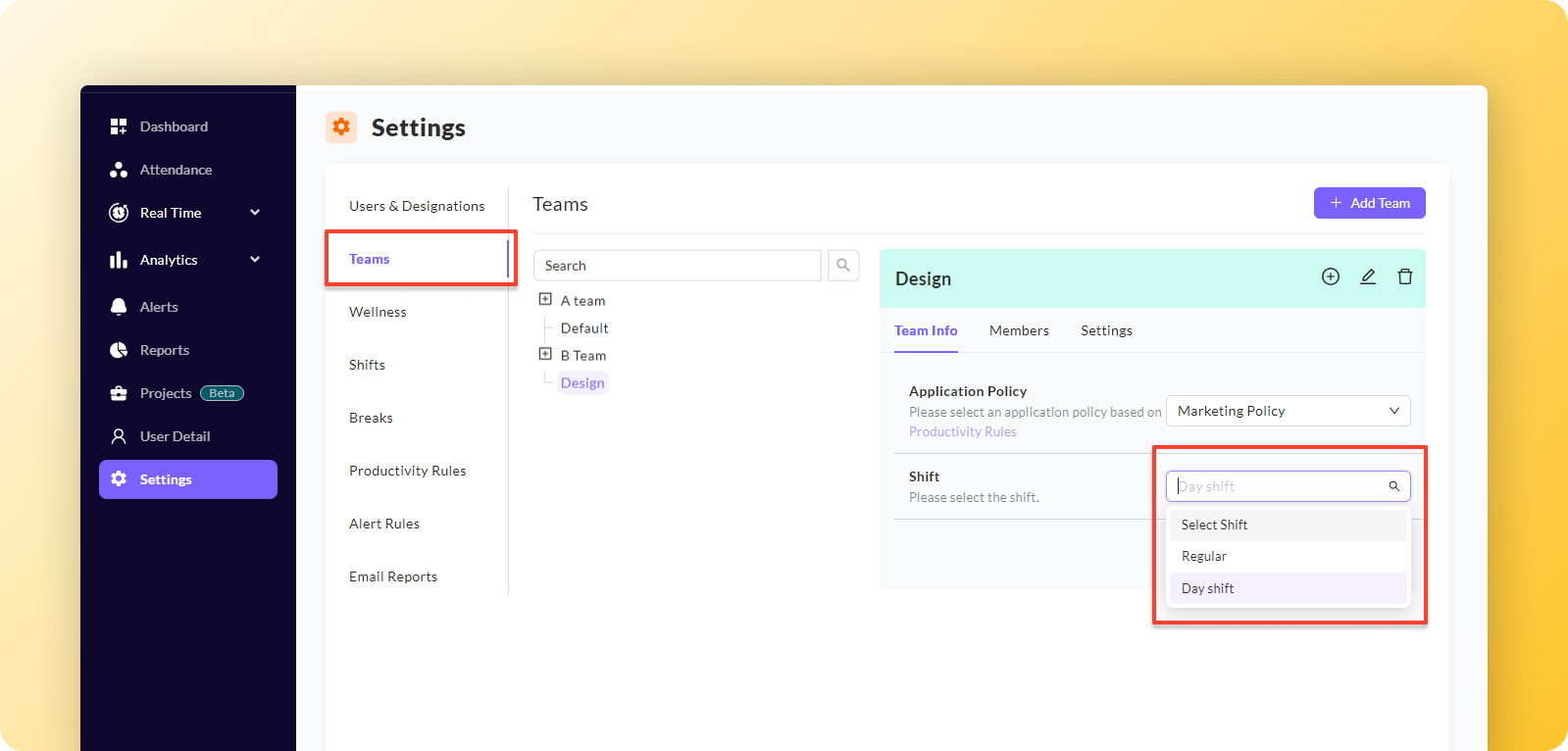
Step 4: Click on the drop-down menu in front of the shift and select the desired shift you want to assign to the selected team. This will update the team's shift setting to the new selection.
The system will display a confirmation message “Update successfully” on top of the screen to verify that the changes have been successfully saved.
How to assign shifts to a user?
Shift can only be assigned to a team only.
Related Articles
How to assign/change team manager?
Learn how to effortlessly assign a manager to a team, as well as how to change a team’s current manager. Both follow the same steps outlined below. Step 1: Access the "Teams" section in the Settings menu. Step 2: Within this section, you'll find a ...How to assign application policy to a team?
Step 1: Navigate to the "Settings" located in the left navigation bar. Within the settings, select "Teams". Step 2: Next, choose the team from the list where you want to assign application policy. Step 3: On the left side of the screen, you will see ...How to add shifts?
Step 1: Navigate to the "Settings'' in the left navigation bar. Look for and select the "Shifts" tab. Step 2: Within the Shifts section, locate the "Add Shift" button, usually located on the top right side of the screen. Click on the "Add Shift" ...How to edit shifts?
To edit shifts, follow these steps: Step 1: Find the shift you want to edit. Look for an action button associated with the shift; it is typically represented by a pencil icon. Step 2: Click on the action button (pencil icon) for the desired shift. A ...How to Edit Team Settings?
Team Settings Team settings comprise some actionable parameters controlling the type and quantity of data gathered to generate accurate and desired insights for any team. The values for all the following parameters can be set using the ...