How to Add Breaks?
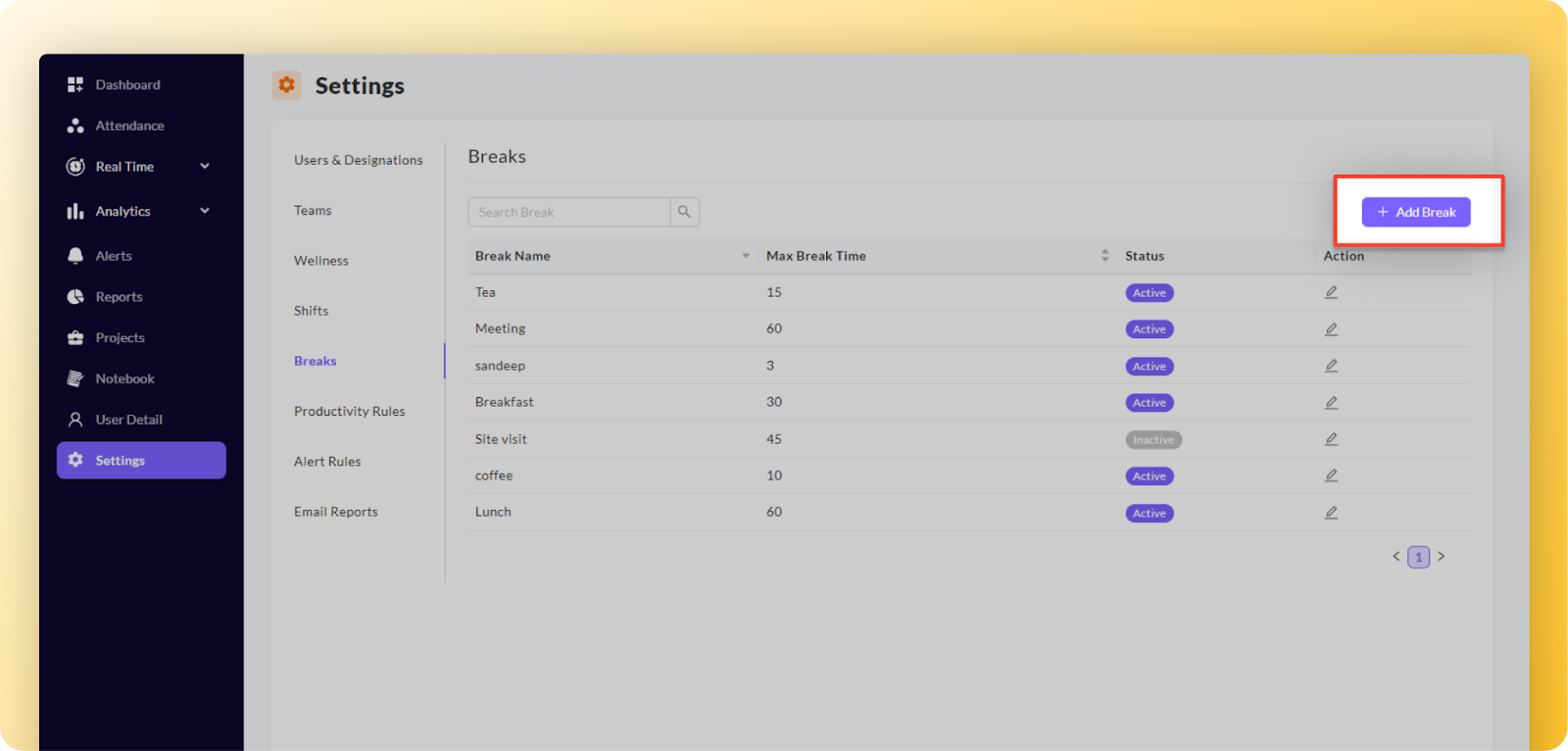
Step 1: Navigate to the "Settings'' in the left navigation bar. Look for and select the "Breaks" tab.
Step 2: Within Breaks, locate the "Add Break" button, usually located on the top right side of the screen. Click on it.
Step 3: A popup window will appear,prompting you to fill in the necessary details like Break Name and Max Break time(in minutes).
Note: Ensure that you fill in all the required fields, marked with (*) as they are mandatory.
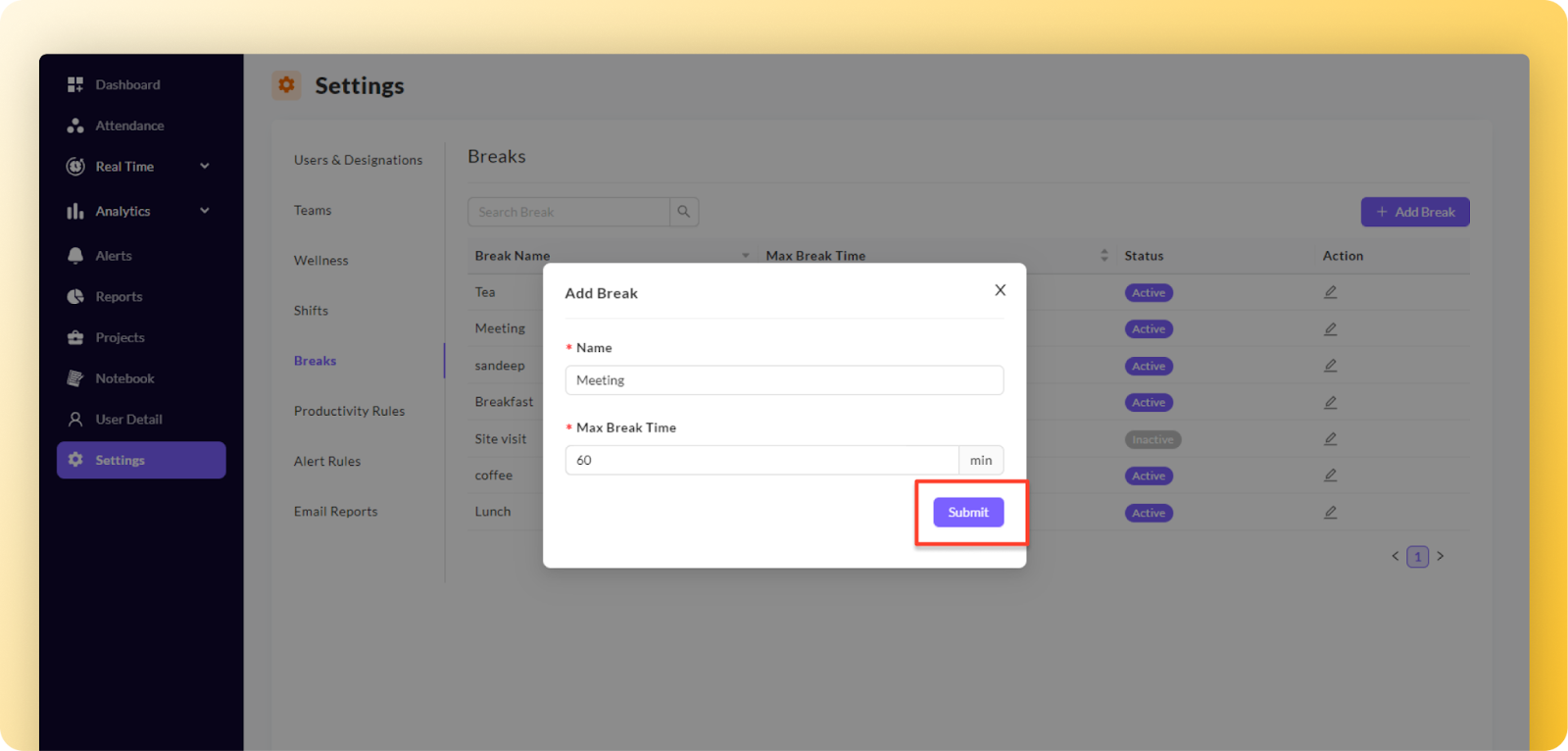
Step 4: After providing all the necessary break information, review the details to ensure accuracy. Click on the "Submit" button within the popup to save the newly added break.
The system will display a confirmation message “Update successfully” on top of the screen to verify that the changes have been successfully saved.
Related Articles
How to edit breaks?
To edit break, follow these steps: Step 1: Find the break you want to edit. Look for an action button associated with the break; it is typically represented by a pencil icon. Step 2: Click on the action button (pencil icon) for the desired break. A ...How to add shifts?
Step 1: Navigate to the "Settings'' in the left navigation bar. Look for and select the "Shifts" tab. Step 2: Within the Shifts section, locate the "Add Shift" button, usually located on the top right side of the screen. Click on the "Add Shift" ...How to add and edit users?
Note: Before adding a user creating designations is important, as it is mandatory information while adding/creating a user. Click here to know more about how to add/create designations? In the “Settings” → Select the “Users & Designation” → click on ...How to add or edit designations?
How to add/create Designation? In the “Settings” → Select the “Users & Designation” → click on the “Designations” tab Step 1: When you click on the “Designations” tab, the list will be displayed below in a tabular format comprising the Name, ...How to add an application policy?
Helpful Tip: Consider naming the application policy after the team to which it will be assigned. This approach simplifies the process of assigning the application policy to teams, making it more efficient and straightforward. Step 1: Navigate to the ...